You can whitelist domains to give all the users from an other domain access to your AODocs. You can also add a specific user or a Google Group.
Learn more: Manage external users
Important: The domain name cannot be gmail.com.
 Access the External access settings page Access the External access settings page |
| Add a domain to the whitelist |
| Edit or remove a whitelisted domain |
Access the External access settings page
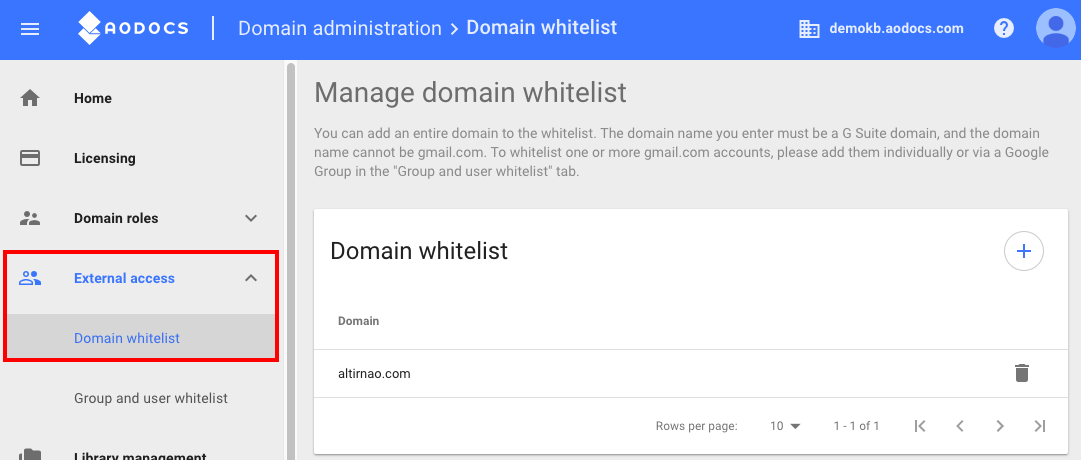
1. Open the domain administration interface.
2. Press External access in the left menu and select Domain whitelist.
Add a domain to the whitelist
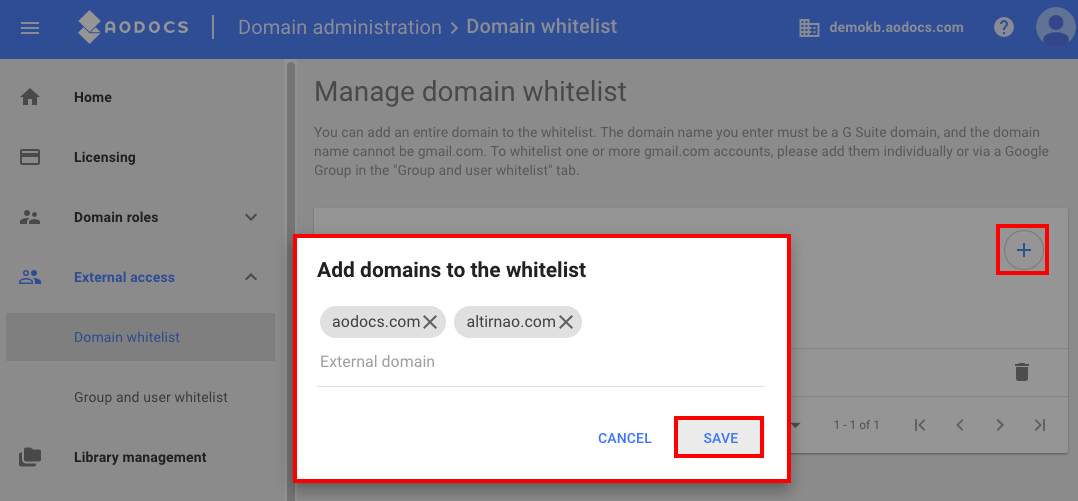
1. Press the Add button.
2. Enter one or more domain names.
3. Press Save.
Note: You can add as many domains as you want.
Remove a whitelisted domain
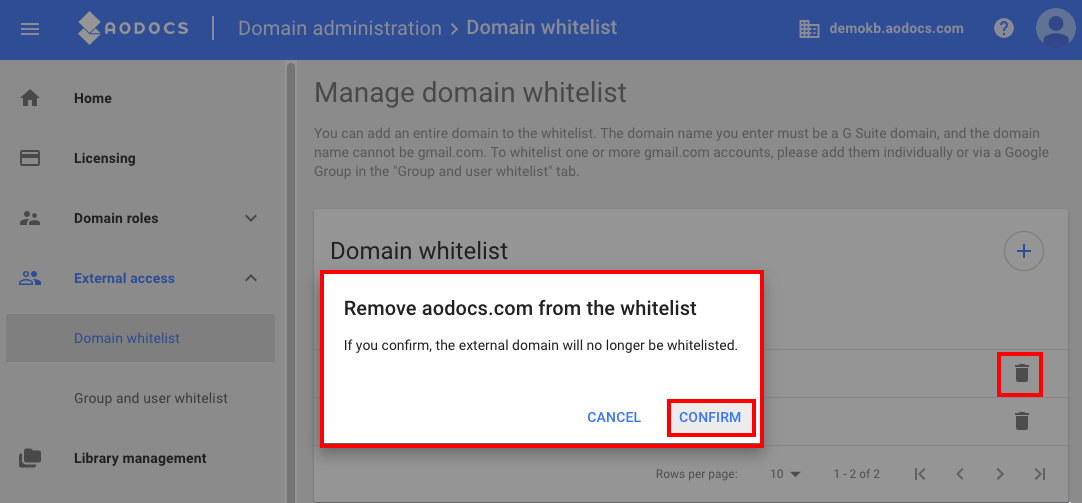
1. Press the Remove button next to the domain you want to remove.
2. A confirmation message opens. Press Confirm.